
What you'll learn
My co-founder Bob Meijer did a week's worth of work in 1 day with PPC OS (our AI-powered operating system for Google Ads). He started working for a new ecom client and finished his audit in +/- 45 minutes.
He shows every PPC OS skill he ran in Claude Code to audit, restructure, and optimize the account with the power of AI. Plus the 3 mistakes AI made, and how he caught and fixed them.
- Cut a full-day audit down to 45 minutesAuditing a full account by hand takes Bob at least a day. See which PPC OS skills he ran, and in which order, to get it done in about 45 minutes.
- Run several skills at the same timeSome skills need each other's output, others don't. Bob shows the flowchart he uses to decide what runs side by side, which is how it all fits into those 45 minutes.
- Catch the mistakes AI makes before your client doesAI forgot 78 keywords in the restructure and got the margin wrong by more than 7 points. Learn the checks Bob does on the last 20%, the part AI can't do for you.
- Turn a 120-page audit into a planA long list of findings doesn't help your client if everything looks equally urgent. Bob shows how he decides what to fix first, and what can wait, in a 90-day roadmap.
- Keep your ads and feed up to date without touching themPrices and review scores change all the time. Bob shows how his ads and product feed now update themselves, without a feed management tool.
Chapters
Mentioned in this episode
Full transcript
Read the full transcript (6,856 words)
Auto-generated from the video, so expect the odd typo. Click a timestamp to watch from that moment.
0:00All right, guys, welcome back to another episode of the PPC Mastery Podcast. Today, I am joined by my co-founder, aka my special guest of the day, Bob Meijer. And today, we are going to be talking about some AI workflows because, well, recently, we have created our own AI-powered operating system for Google Ads, which is PPC OS, which we got an award for a couple of weeks ago. So a little plug there. You can't really see it. It's right here beside me. And we've been using it a lot over the last couple of months.
0:34And Bob sent me a message last week. He literally said, yo, dude, PPC OS is really insane. I think we haven't really fully processed what we have built. I did everything for a new client in one day, like a whole week of work. Worth of work. Optimized the entire feed. A to Z did a whole search campaign restructuring, including customizers, custom scripts that scrape lowest prices for the categories, reviews, other scrape stuff. And also made an approach, an advisory plan for, well, the upcoming period.
1:16How to optimize product pages based on search volumes, long tails, lots of things. And landing pages were next up, he said. So he sent that to me. I was like, okay, we need to dissect this and dive into all the nitty gritty stuff. So what we're going to do in this session is just talk through how Bob has been using AI and PPC OS specifically in this case to just simply do a whole week's worth of work in one day. And I know that sounds really hypey. And there's a lot of people constantly hyping up the use of AI.
1:54So I think it's always nice to have actual, like, real workflows from real specialists to just talk you through what they have done with AI. And in this case, coming from Bob. So Bob, welcome, man. Thanks for joining us. Can you just talk us through a little bit, like, the background of this client? Because you did an audit for them initially. Can you just talk about the project for this client? And then we'll start diving into all those AI things that you did for them. Yeah, sure. Thanks for having me.
2:28And thanks for being the first sort of guest on the official live stream podcast. So, yeah.
2:36I've been working for this client for not so long. I started with an audit. I started with an audit, which I completed, I think, two months ago. I also used the audit as a good example on how to approach Google Ads auditing in 2026 at the PPC Summit, where I shared a lot of nuggets, I think, as well. And from there, well, the ball started rolling. Because a lot of Google Ads clients come to me with an audit-related question at first. But obviously, nine out of ten times, I'm able to find a lot of high-impact optimizations, like restructuring the account, conversion tracking optimization, and all sorts of different things.
3:20And a follow-up project follows, where I basically restructure the full account in a sort of sprint-alike form. Six months ago, I rebuilt my entire offer, which is really simple. People start with an audit. They can get their audit credited if they want to have, like, a three-month transformation where I basically optimize their full account. And then they can either choose after the three-month period to stay with me or where I just basically hand over the full optimized restructured account back to them.
3:57Whether it is the owner itself optimizing the account, whether they have a specialist in-house, or whether they're working with a freelancer, that doesn't really matter. So from that offer, the customer came in, started with an audit, delivered the audit. And now I was basically optimizing the full account last week. And I did so using our full PPC OS stack. And I was, well, once again, mind blown by the speed and the quality of the output. And that's when I shared you a message like, hey, I think we cannot really grasp what we have created because it's so incredibly powerful.
4:40And now we're here. And I'm able to show a couple of nuggets and examples, I think. Yeah, for sure. So maybe you can just start by taking us through the audit that you did for them with PPC OS. And then we can start digging into, well, the things that you found and how you have been able to implement so fast. But maybe we can start at the beginning. Maybe we should explain, like, briefly what PPC OS is. And then you can dive into what you have done with this audit. And then from there, I'm sure we can roll into the next pieces.
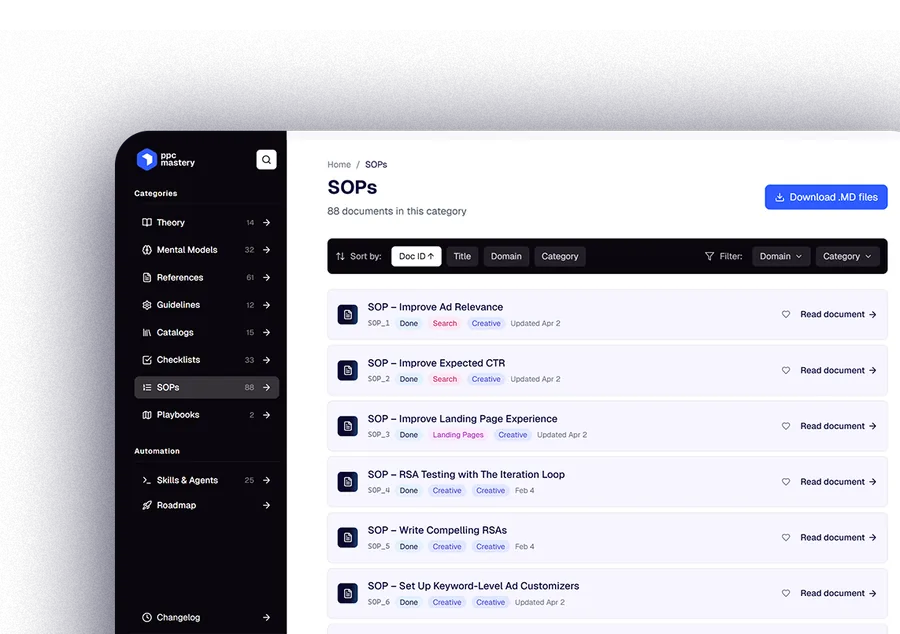
5:13So maybe you can just start with just explaining a little bit, like, what PPC OS is and how it has helped you to do this process. Sure. Yeah. Starting this year in February, I think, we basically launched our first PPC OS knowledge base, where I wrote out all of the different workflows that I previously did manually inside of, well, a really big extensive knowledge base, where you can now find SOPs, mental models, all sorts of best practices regarding Google Ads. And then Alfred came on board and he was like, hey, I turned some of your SOPs, like search term optimization and search term auditing, into a Claude skill.
6:01Can I show it to you? And we were like, yeah, of course. Bring it on. And he showed it to us and we were like, holy shit. You took something that was, well, powerful already, because it was written out in SOP, to a whole different level and whole different ballgame, where the machine itself is basically doing all of the hard work that we did manually previously, while still following all of the best practices that we wrote out inside of the knowledge base. So from that point, we and Alfred started to work together, building out the full PPC OS suite, which is essentially a, well, Claude Code first CLI, where you can essentially run all sorts of different skills inside of the terminal.
6:50You can run it with Claude Code. You can run it based on, well, codecs, OpenAI. You can even use local models if that's what you want.
6:59And you can basically audit your full account and also from there start optimizing your full account while leveraging AI at the max. So that's what we've been building out the past couple of months. And I'm using it every single day in my personal workflow and for my personal clients. And it's also what I used for this particular audit and the follow-up project that followed. Yeah, cool. So, yeah, with PPC OS, we just have, at this point, a bunch of skills that you can use to, well, audit certain things of your accounts, optimize them.
7:41Which skills have you ran in this audit specifically?
7:48Basically, the full Monty.
7:52So, it all starts with a, well, I call it a context call nowadays. So, previously, you had some sort of onboarding call with your new client, right, in order to properly understand their business. And now you still need to understand their business, but you also need to understand all of the underlying parts and all the little nitty-gritty details behind certain choices they made in the past, etc., in order to feed that back to the algorithm. Because without having all of that context at first, you aren't able to run all of the auditor skills, for example, that we have created and expect a really solid, correct output.
8:35So, that's what I started with, with the context call. That basically resulted in a really extensive business file where all of the business-level information was being stored. Think growth goals, officiating goals, break-even numbers, gross margins,
8:58current account structure, current geotargeting, and the reasoning behind it, how the website is structured, why they're selling the products that they sell. All things that are related to their business is being stored in that particular file. And from there, you can start running the auditor skills paired with all of the Google Ads data that you have inside of your Google Ads account, right?
9:24So, that can go from simple things like pooling the Google Ads data locally to your device, so you can basically start analyzing all of the data, all the way to pooling account changes, basically your changelog of the past couple of 30 days, from doing a strategy audit, if it even makes sense what you're doing based on your growth, officiating goals, and also margins that you have in place, all the way to deep dives like doing n-gram analysis, which is part of the search term order skill. So, there are a lot of skills that I ran at first doing the audit, and that basically resulted in a 120-page document, polished, obviously, with Claude Design afterwards, that I was able to present my client.
10:23Like, hey, I ran the auditor skills. I did the full audit. These are my findings. These are the prioritized optimizations. This is what's broken. This is what needs attention. And this is the roadmap of the next 90 days if you decide to work with me. So, that's basically what I delivered. Yeah, it's amazing. So, is it possible for you to share the first artifact with the PPC OS case study steps that you took? Because I think it's super useful for people to see. So, just a little bit of context.
11:04Now, with Claude, you can create artifacts, which is just information hosted online in sort of an interactive widget, which you can really customize as much as you like. And in this artifact, you have basically laid out everything that you have done. And then, I don't know if you shared this one, but the other ones, you have more artifacts. You share those with your clients as well, right? So, they get an interactive document, which is also interlinking to other artifacts where they can find more information.
11:38We'll dive into this in a second, but I have just one question. Does this replace the PDF or slide deck that you usually make for your clients when you deliver an audit? Or is this on top of that? These are basically small artifacts that I make during the process. So, last week, I finished restructuring the full account and I essentially made a simple artifact summarizing all of the things that I did, including all of the reasoning behind it and all of the little advanced Google Ads tactics that I also sprinkled in and that I sent to my clients.
12:15So, I did that for the full restructure, but I also did that for the complete feed optimization that I also completed. So, those are basically simple docs that I share with my client in order to, well, get them updated with regards to what I did. Yeah. Yeah. Cool. So, for the audit, for the full audit that I delivered at first, that was still a PDF, but I made that with Claude Design, basically based on my full brand guidelines. Yeah. So, I don't have to, well, do it manually anymore in Google Slides.
12:54Saving me a lot of work. Mm-hmm. For sure. Okay. So, can you take us through this artifact? Yeah, sure. I will just touch on this briefly.
13:06So, this is not for my client, by the way. This is what I prepared for this particular session just to give you some additional context. So, over here, you can see the skills that I ran. You can see all of the auditor skills over here that are part of PPC OS that I ran Tuesday and also some on Wednesday, including all of the timestamps. I got myself a little additional PC over here that I can, well, log into and basically run all of these skills simultaneously for whatever client it is that I want to run it for.
13:45So, if you look at all of the different timestamps over here, you can see that they completed relatively soon at the same time slots somewhat. So, all of the audit skills were completed, well, in a matter of hours. Essentially, I started past lunchtime at 12.44 and I basically, well, completed most of the audits 45 minutes later and then I did some different work and I completed the remaining part of it, as you can see over here. The next day, I started building. So, this is where I completed all of the audits, basically enabled me to feed that into the optimizing skills the next day.
14:34So, this is where I started creating RSAs based on all sorts of different offer angles based on the products that they sell, etc. Just one question real quick about that because we have the, and some extra context because on some screens, it might be a little bit small to read, but PPC OS essentially has a lot of different skills that are repeatable tasks that you can ask your AI, which is either it can be Claude Code or OpenAI's Codex or any other model, doesn't really matter, can use to execute a certain task and we have divided the skills in mostly like auditor skills that find insights, optimizers that help you actually optimize and build the optimizations, implement.
15:25And these skills help you find insights like really quickly. As you can see at the top, if you go a little bit to the top, just real quick. Oh yeah, you're going to touch on that. Nice. You can see how quickly Bob
15:39ran all those skills to get insights on the keywords, on the accounts, on the feed, on the bids, budgets, search terms, strategy, which is offer, business, business, unit, economic stuff, pMax, landing pages, just in a matter of a few hours extracting all the insights there are on a really deep level. And just a quick question there, do you, because some skills I see were executed at the same time, do you run them all at once or just sequentially one by one, one by one? Well, some skills build on top of each other.
16:14So you cannot run everything simultaneously because it will miss context from, well, a previous skill that you ran or that you should have ran before running that particular skill. So for example, if you want to run the ad copy skill, creating new RSA assets, for example, headline, subscriptions, et cetera, you definitely need to, well, do an offer auditor first and also get your offer angles in place, which is built on that particular skill. Because the ad copy maker essentially uses that information in order to craft
16:58business optimized headlines and description lines, et cetera. So you need to know, well, the order in which skills you need to, you need to know the order when to run certain skills, but some can run simultaneously. For example, if you want to do a quick change log update to see how many changes were made inside of the account and what kind of changes that were in order to feed that back to the context of the account, or you can run that simultaneously with, for example, pooling all of the Google Ads data of the last 120 days.
17:40You can also run the keyword auditor at the same time while you also run the feed auditor because those are two completely different things. At the same time, if you are going to do feed optimization based on the feed auditor, I also like to run my search term auditor first because it gives you all of the information with regards to mid to high volume search queries, what kind of search queries
18:11are performing the best for you in terms of conversion volume, in terms of revenue, or whatever the metric is that you're optimizing for, because that is also going to be input for optimizing your product titles, for example, where you want to use the most important short tails and also long tails in your product title data. So that is getting extracted and being pulled from the context that your search term auditor already has in place. I hope that all makes sense.
18:42But when you start working with this system for a while, you know the context that you can expect and the output you can expect from every single skill and how it can feed into a different skill. Yeah. And just one follow-up question there. Do you, when you run those skills, you know, as you said, some build on top of each other, you need those insights. Do you chain them together where it is automatic or do you still trigger them manually each time?
19:15For one-offs like this particular client, I'm triggering them manually
19:24because, well, if you look at the dates over here and the timestamps, it's still fast, you know. But for existing clients, clients that I'm running and optimizing Google Ads for, well, for months and years already, I have scheduled these skills in a particular order in order for them to feed, well, the proper output and the proper context to the next skill. So, for example, if you want to schedule
19:55your feed auditor or feed optimizer skill, it is once again really helpful if you run the search term auditor first in order to see if there are, well, new search terms coming in from new ad groups, new campaigns that can be fed into new products that you might have added to your Google Merchant Center store that you haven't optimized your product attributes for yet. So, for new customers, one-offs manually for returning customers that are in my retainers, I've basically scheduled these in order to, well, to don't intervene manually as much as possible.
20:40Yeah, that makes sense. All right. Anything else worth sharing here? Yeah, you have a nice framework. Yeah. So, over here, maybe a brief summary of what the auditor skills did over here. So, basically, you can decide or you can basically map the auditor skills in four areas. So, if you've got your context where you can get all of the context needed for the auditor skills first. So, the change log of the last 30 days, the data of your full Google Ads account of, for example, the last 120 days. Based on that, you can run the auditor skills on all kinds of different areas from your keywords all the way to your search terms to your account at the account level all the way to your landing pages.
21:33these touch on all of the important areas within your account. And from there, you can basically decide, make decisions that you need in order to then start building, for example, an optimized structure or where you basically just want to optimize certain areas within your account like search terms, ngrams, whatever it is, add copy. And from there, you can push it to your account via the Google Ads API if you want to do it that way. And then the full loop starts again and again from context to audit to decision making to building slash optimizing.
22:15So that's how you can basically think of all of these skills.
22:22Cool.
22:25So based on everything that you have done through you by using the skills,
22:33what have you found and how have you actually been able to then, as we said in the beginning, do a week's worth of work in just the daytime?
22:48So you saw the timestamps, right? I was able to audit the full account in 45 minutes, give or take. That's sick. That's crazy. That's really sick. And they also had really high-level findings that it could then take with me to the optimization phase. Generally speaking, if you want to audit an account, a full account like this manually, it will take you at least a day. And I did it with the CLI, with PPC OS in 45 minutes while I was only, well, running the skills myself. Like, hey, it's time to do the search term auditor now.
23:27It's time to run the keyword auditor now. It's time to end this full session with an overangle creator, whatever the skill is that you're running. So that's a huge superpower already because it speeds up your work so much. And once you have all of those findings in place, well, then obviously you need to read through all of the findings. So you can also check the prioritization of them and the findings itself at the very best. And from there, you can start optimizing where you can run the optimizer skills.
24:05Like, hey, I want to restructure all of my search campaigns based on the findings that I basically gathered during the audit phase. And that's also going to speed up the optimization and restructuring process so much because
24:25you've got all of that context in place already. And then it's just a matter of going through the decisions that PPC OS made for you based on all of our best practices that we wrote out in all of the SOPs that are baked into the skills that we have put into place in the PPC OS CLI tool.
24:45And from there, it's checking off all of the parts that you need to check off just like you are restructuring an account manually. But now, well, 80% plus is being done automatically. That's what I was actually going to ask next because yeah, 80%, but I can already hear some people thinking like, yeah, sure, but it's AI and it can still make mistakes. What is then that final 20% that you brought your expertise to the table? Yeah, what was that? Yeah, so it made some mistakes during the work. So over here, I gathered some mistakes it made.
25:29So this is where I as a Google S specialist still came in because it still needed my judgment in order to check on all of the outputs. So for example, when restructuring the search campaigns, it forgot about 78 keywords.
25:50that basically weren't factored in the restructuring of the search campaigns. So that's what I noticed. Like, hey, you're missing out on some keyword themes and some long-tail keywords with some volumes that you haven't included. So that was fixed because I was sharp at that very point. point. It also worked on the cost of goods sold, which was a feed attribute that wasn't in place yet. And there is a really simple 65% margin rule across all of the products that they sell that this particular customer sells that I wanted to feed into the cost of goods sold feed attribute, but it didn't factor in that the Google Merchant Center prices included 21% VAT at first.
26:42So if I didn't
26:46give that feedback, the real margin would have been somewhere around 57.6% instead of the 65% margin based on the VAT. And then also some title-related fixes. So it optimized all of my product titles inside of the supplemental feed that it gave me as output. So over here you can see the full supplemental feed including all of the optimized attributes that the Peebs.us skill did for me without needing any feed management tool. But it didn't look at my most important search queries per creative theme and didn't prioritize the correct short tail and long tails for the optimized title.
27:39So that's what I also gave back. Like, hey, I want you to look at the search term auditor skill and the search term auditor output. Look at the most important queries for us and make sure that those queries are being folded into the most important feed
27:57attributes, so to say. And that also
28:02would have caused some sub optimal optimizations if I didn't solve that. Maybe one good thing to add here is that you showed the supplemental feed. This only works because we have the knowledge base that we created for PPC OS, right? Because we already have laid out how a feed should be optimized. and we don't rely on Claude to think of what a proper feed structure or a properly optimized feed looks like
28:36because we already have instructions for all the different sub attributes, the titles and everything as Bob is looking it up now in PPC OS in the knowledge base. That is a key factor here because without it you're just relying on what the model can find on the internet which is oftentimes either outdated, contradictory or just wrong. So yeah, we already have made our own guidelines for how a feed should be optimized. Bob? Correct. Yeah, correct. So this is everything that we know folded into a knowledge base which the skills, the PPC OS skills are being built upon.
29:22And right, that only, it's only so powerful because this is written out in a really extensive manner. It is revolved around our best practices instead of vague, generic advice that Claude, for example, otherwise would look up on Reddit forums or Google support pages. So this is really, really specific and really extensive. And this is just one example touching on product feed optimization guidelines. But as you saw, there are way more feed-related documents over here that are part of the PPC OS system.
30:05Yeah. Cool.
30:09So with an audit, you always find many, many different things that you can present to your client and that you can work on.
30:18How do you then prioritize what to do first and what to do next? Do you also do that with AI or is that the part where you really come in, where you decide what the right strategy is to choose? And as an extension to that question, I also saw a question from Robin in the chat. He asked, what about strategy choices regarding campaign type strategies? How do you handle that? So can you just talk us through an audit? You always, especially with AI now, I think we can also have depth by insights maybe because you get so many good insights, which is always good.
30:53You know, in an audit, you're trying to gather information, but how do you then structure that into a coherent plan that you can present to your client and that you can then take action on for yourself? Oh, this is a very good question and I, this was part of also my presentation
31:13on the PPC Summit. right? So let me see if I can pull that deck because it can give you good idea about how I structure.
31:27Let's see. Yeah. In the meantime, guys, if you like this, then just please subscribe because we're on YouTube right now trying to grow the channel. So every subscription would be very much appreciated. Obviously, YouTube subscribing is free, so that would be very much appreciated.
31:47We will bring you much, much, much more in the upcoming weeks. Even after this, we have another session.
31:54So based on all of the audit findings and the prioritization of everything, this is basically how I divide
32:04the work that needs to be done and in what order. So over here you can see the things that are obviously broken based on this particular customer's audit, by the way. So all of the broken things were listed on the left side. Then I basically focus on the core constraints that I'm focusing on mainly once all of the broken things are fixed first during the, well, sprint for this particular client. And then there's a lot of things that can be labeled as later or things, well, that aren't as important as the core constraint that came from, well, the auditor output but also the insights that you have as a specialist yourself.
32:53So that's basically how I create the roadmap and also how I present it to my client. I like to structure it in this particular way. Yeah. But that's a topic for another session, the constraint loop. I think we can dive into that as well. Yeah, I did a full hour workshop around that during the PPC summit. So I cannot fold that into five minutes. Yeah, in a session before that which was also like 30 minutes or so, so much to talk about that. So yeah, I think we covered a lot. I'm curious if there's any questions in the chat, guys, if you have any questions for Bob about this process.
33:34Is there anything that we missed in the
33:38project for this client?
33:42I can talk about so many in detail stuff. I've created two more additional artifacts that we can go through. Let's see it. Why not? Yeah, because I was so blown away by all the things that it could do. So these are some terminal examples.
34:00So over here, I was building out the optimized search campaign structure and also the optimized ad group structure. I also saw that Claude, based on the PPC OS skill, grouped together some themes that weren't quite logical. So over here, I basically pushed back and asked the question like, hey, why are keywords like outdoor camera set in camera systems and not inside of the outdoor camera ad group? So it gave me back an answer. why I did that, where I pushed back again, like, hey, dude, I just want to split this out because it's a different creative theme.
34:49I want to create a separate ad group for those in order to write a proper RSA and also get a proper landing page attached to that later once we start working on the landing pages. And I did that for different themes as well. For example, I don't really see why long tails like no subscription, camera system with no subscription, and with app, sit together in one ad group. Why don't you split them out? So this is still the judgment part and the going back and forth with AI, with PPC OS, where you are sprinkling in your knowledge and your way of working because it isn't always going to be like a hit.
35:33It isn't always going to throw a six out of six, you know? So you still need to get your judgment in there.
35:44But once pushing back, it made those changes and it was all set. It also wrote the ads later. And then I was thinking about, hey, we can already, what I really like to do inside of RSAs is working with ad customizers,
36:05starting prices,
36:08reviews, and stuff like that. But a couple of months ago, before working with, well, an AI stack like we're working right now with, I still needed to write all sorts of scripts in order to pull the lowest price per product category, for example, from Google Merchant Center. And I also had to scrape my client's website in order to find the current review score and the current amount of reviews in order to feed that back into Google Ads inside of an ad customizer to be used inside of a headline asset, for example.
36:42And now, I simply asked Claude Code, like, hey, can we also make the starting price dynamic for the two product categories that we have, wireless and with cable, so we can put it in an ad customizer, which is updated every single day based on the GMC products. And the same for the review score and the amount of reviews. So it just created like a simple script that is fetching the lowest price per category and subcategory every single day. The same for the review score and the amount of reviews. And now my ads are always up to date and always in sync with, well, those dynamic variables, so to say.
37:25And now, yesterday, I also made the same for my price assets. So the lowest price per price asset item, so to say. So that is being updated. And also for a couple of side links where I also embedded the static price. But it is now updating that every single day if it finds an updated price, obviously, on the website or on GMC. So those things are just mental to me because you have a vision, you have an idea, where you want to over-deliver, or where you want to really harness the platform's capabilities right in terms of advanced tactics that you can use.
38:09And now you just ask, well, Peeps2S to do it, and it just comes back to you like, hey, I just made all of these assets dynamic for you and it's getting updated every single day. So that's just mental. That's just mental to me. Same for the feed because I just saw, I just showed you the supplemental feed where you can see all of the AI attributes like product detail, product highlights, question and answer, popularity rank. Those are all new attributes that require a lot of work if you are going to optimize that the traditional way via feed management tools, for example.
38:50But now it is just doing that for me in a blink of an eye. it updates and supplemental feed every single day because I've scheduled it based on the incoming feed inside of GMC. And everything is in place from, well, all of the attributes like questions and answers all the way to the product detail, the custom labels and whatnot. whatnot. And it's just mind-blowing. It's just mind-blowing. And everything is based on, well, the search term report. So it includes all of the high-quality and high-volume search queries.
39:33It looks at the product detail pages in order to also reason the most optimal question and answer, for example. Obviously, this is Dutch because it's a Dutch client. everything is formatted correctly according to the PPC OS tech
39:53docs and spec docs. So, yeah. Yeah. I can go on and on and on about what it's able to do. But everything that you wanted to do, it's able to do that. It's crazy. It's crazy. Every day. Every day. It's so mind blowing.
40:09So maybe we can look at a few questions from the chat. Suzanne from the PPC Hub asked, what skill do you fire up to do this within 45 minutes or specific prompt? I always use them all separately and it costs way more time. We talked about it briefly, but how did you do it in such a short time? Because the skills also take time to process. Yeah, correct. That's a good question, Susan. So I made a little flowchart for myself and I think it's time to also share that with the PPC Hub because we haven't done that already because we're still figuring it out ourselves as well.
40:45But I made a little flowchart for myself, which skills can be run independently, so simultaneously, and which skills are needed in order to feed into the next skill, so to say.
41:02that allows me to run certain skills simultaneously or just tell a new terminal, like, hey, I want to run this skill, for example, the feed optimizer skill, but this skill is still running in this particular terminal where you can just copy the terminal ID, and I want you to only start running if the output of that particular skill is completed and you have gathered the full MD with all of the findings. So that's just basically a trigger that you tell cloth code, for example, before it starts running, so it has all of the context in place.
41:46So basically, you can just open all sorts of different terminals. I'm using Orca right now to orchestrate all of that, which is really simple. Can I open it real quick without showing all of my customers in there? Watch out for any client-sensitive stuff. Yeah, I can open it, I think. Nice.
42:13Just to give you an idea about how I like to do that. Orca, there we go.
42:22Let me zoom in a bit.
42:25Yeah. So this is the tool that I use instead of cursor. I like this way better. So over here, you can see all of the projects that I've grouped together. My overarching operating system, the client folder, and if you open that, you can see all of my clients that I run PPC OS for every single day because I've got some of those scheduled. My dashboards, my tools, my sites that I also manage over here. and other. And what you can do over here, you can simply, within a project, so let's assume this is a particular client that I want to run a skill for on my MSA2, which is my, well, second desktop over here that can schedule all sorts of things.
43:11You can hit a new terminal, hit Claude, it will start up Claude with bypass permission straight away. You can do that for a lot of different terminals within a particular client. So now I've got three tabs open, right? Three terminals. And now I can, for example, mention in this first terminal, hey, I want you to run the feed auditor. It's not inside of the right folder. That's why I cannot find the skill. But I want you to run the feed auditor skill over here.
43:49And then in the next one, I can say, hey, I want you to wait for this terminal to finish before running the feed optimizer skill. And as you can see, you can add way more terminals to one particular folder and have all of those skills run simultaneously, if it makes sense. So that's how I do it way faster. Yeah. And also I can already hear some people in the PPC up thinking like, wow, what is this? Orca, you guys are telling us to use cursor. There's a reason why we haven't really promoted quote unquote, it's free Orca.
44:31Why we haven't really discussed it a lot yet is because we are actually building PPC OS V2 right now, which is coming out hopefully soon. We are not saying a launch date, but we're making really good progress. And it's very similar to what Bob just showed you. making it so much easier for you to run different tasks in different terminals, trigger skills much more smoother, have a better overview of the
45:09different windows that you have open, the tasks that you have open. And so, yeah, there's it's going to be so much smoother, but we're still building that out. So that is that is coming soon. Yeah. With that said, I think I'm stuck on Bob right now, but that's OK. You can look at Bob's beautiful face while I talk. Wow. AI hasn't been able to solve this. So let me see if I can. Yeah, we're back. Yeah, it works. It works. I don't know why. It's so weird. Like it's only you on the screen. It's just like, OK, but no, I think I think we're going to leave it here, guys.
45:47So much more that we can dive into and that we will dive into in the in the future. But thank you both for sharing this. And just to sort of summarize it all with a proper AI system that is built on a structured knowledge base that really reflects what you think is important with Google ads, then you can do so much more in a lot less time than than you usually can. So we will be sharing much more with you with all of you guys in the future on this on this channel. So don't forget to subscribe. And for everyone in the PPC Hub, PPC OS V2 is coming very soon.
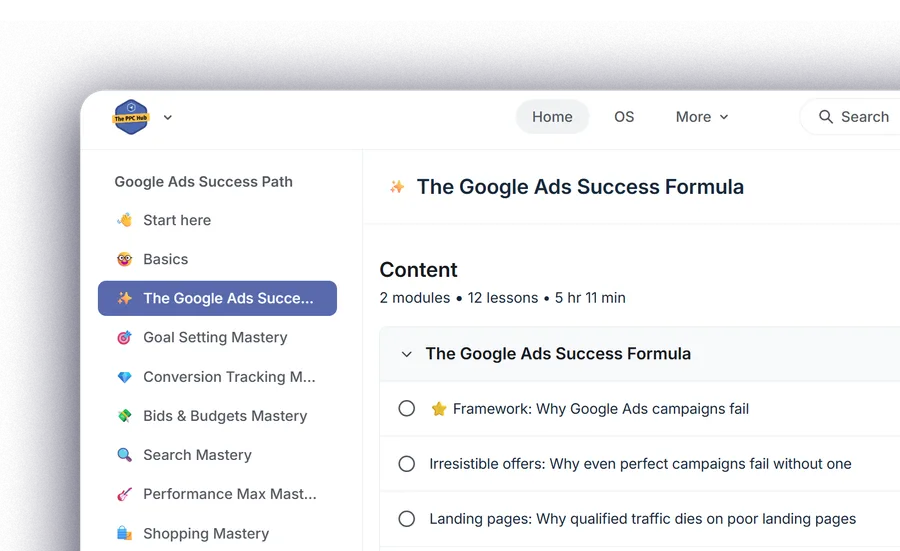
46:27And we will keep you guys in the loop on what we're doing with that. Going to be so insane how we are going to integrate that with new knowledge content. And wow, man, so much good stuff is coming. But for now, we'll cut it here. Thank you all so much. And we'll catch you in the next one. Cheers. And thank you, Bob. OK, real quick. Do you want to deeply master Google ads and drive better results faster with AI powered systems? Then join the PPC Hub. Inside, you'll get the training or Google ad success path, the systems PPC OS and a community of over 2,500 specialists from all around the world to build deep expertise, deliver the best possible results and stay ahead no matter how fast the industry changes.
47:10Just click the link below and then I'll see you inside.